Bulk SSD and NVMe Supplier
We supply enterprise and client solid state drives in volume, from single trays to full pallet quantities. Stock covers SATA, M.2 NVMe and U.2 form factors across every major manufacturer, with capacities from 128GB through to high capacity data center drives. Every drive is tested, graded and securely data wiped before it ships.
Specifications
What we hold in SSDs & NVMe.
- Form factors
- 2.5in SATA, M.2 2280, U.2, E1.S
- Capacities
- 128GB to 30TB
- Interfaces
- SATA III, NVMe PCIe Gen3 / Gen4 / Gen5
- Conditions
- New, refurbished, Grade A and Grade B
- Typical volume
- 100 to 10,000+ units
- Data handling
- Secure wipe, certificate of destruction on request
Typical stock
Commonly available.
- Enterprise read intensive and mixed use SATA SSDs
- M.2 NVMe client and data center drives
- U.2 and E1.S high capacity enterprise flash
- Caddy mounted drives pulled from server chassis
- Mixed capacity bulk lots with full manifests
Looking for a specific part number?
Send the part number and quantity. We quote against live stock, and if we cannot get it we will say so rather than substitute something else.
Clearing SSDs & NVMe rather than buying? Sell your surplus SSDs & NVMe to GTR Supply. That page sets out what we take, what your list needs to carry for SSDs & NVMe, and what moves the number up or down.
In circulation
SSDs & NVMe makes, models and part numbers.
Enterprise flash reaches the secondary market in two streams that look completely different once a lot is opened. Hyperscale and cloud refreshes release very large matched batches of a small number of read intensive part numbers, mostly Samsung PM and Micron 5000 series SATA drives alongside Samsung PM9A3, Solidigm D7 and Kioxia CD class NVMe. Enterprise and storage array decommissions release smaller, far more mixed batches, and they are where the mixed use SATA drives and the whole SAS flash category come from, because those were never made in the same numbers.
None of this is a stock list
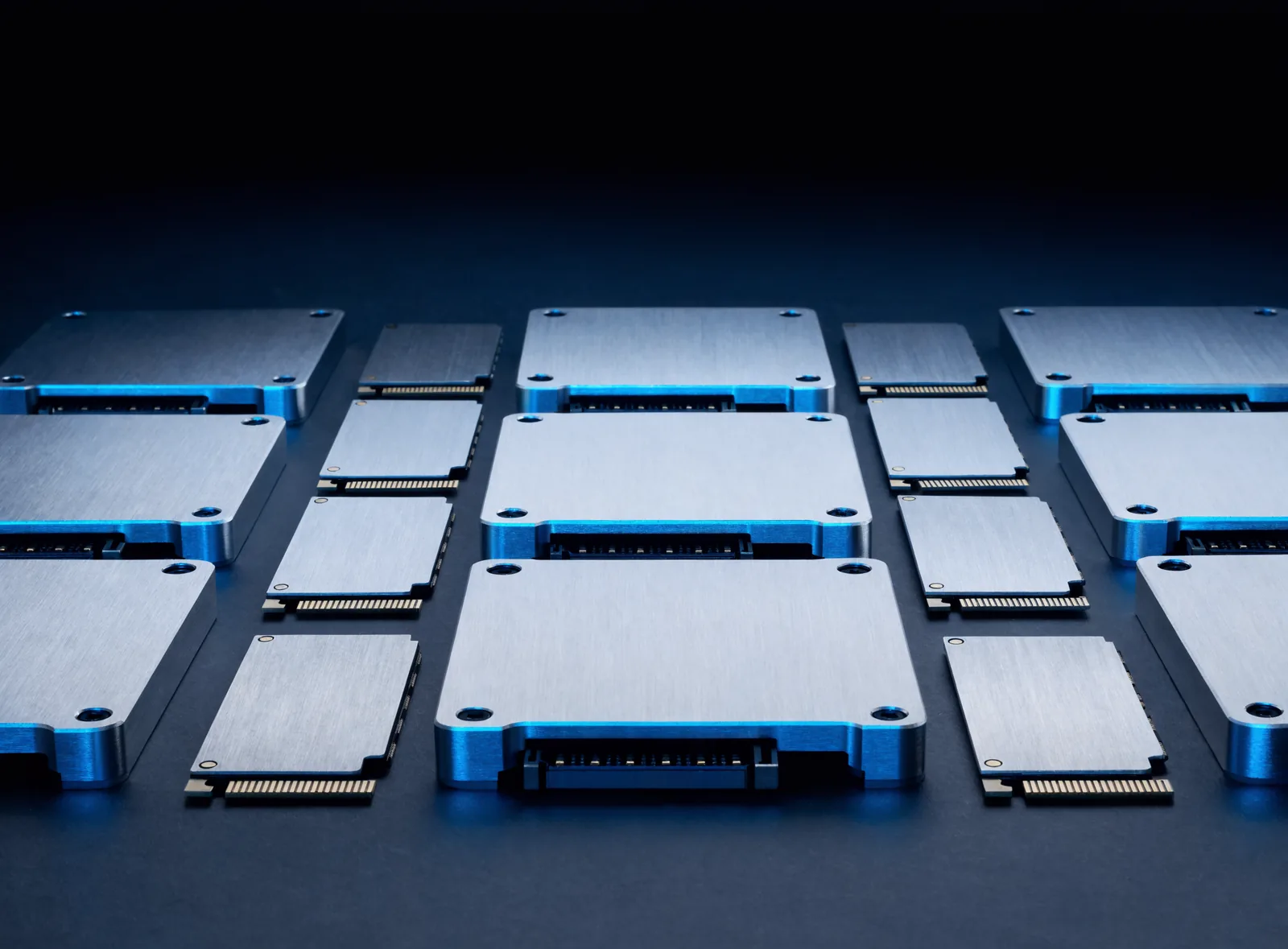
The families below are what circulates in this category on the secondary market, listed so you can work out what you are holding or what you need. None of it is a stock listing and nothing here says GTR Supply holds a particular part. The photographs illustrate the form factor and are not photographs of any named product. Send the part number and the quantity you need and we will tell you where we stand.

Samsung PM883, SM883, PM893 and PM897
Samsung
The mainstream enterprise SATA line and one of the highest volume families in the trade. PM883 and PM893 are the read intensive drives, SM883 and PM897 the mixed use ones. They arrive from hyperscale and server refreshes in large matched batches and suit boot, capacity and general virtualisation tiers.
- How to spot it
- Every part number starts MZ. MZ7LH is a PM883, MZ7KH an SM883, and MZ7L3 covers both the newer PM893 and PM897. The older PM863a and SM863a read MZ7LM and MZ7KM.

Micron 5100, 5200, 5300 and 5400
Micron
Micron's 2.5 inch SATA data center line and the clearest labelling in the category. ECO, PRO and MAX on the 5100, then PRO and MAX from the 5200 onward, name the endurance class outright. Server refreshes and retired arrays release them steadily in mixed capacities.
- How to spot it
- Part numbers begin MTFDDAK on the 2.5 inch SATA drives, with the capacity in the middle in compact form, so 1T9 is 1.92TB. The endurance word is printed on the label as well.

Intel and Solidigm D3-S4510 to D3-S4620
Intel and Solidigm
The SATA data center line that ran under Intel and continued under Solidigm after the flash business was sold, so the same drive turns up wearing either label. S4510, S4610, S4520 and S4620 dominate, with older S3500, S3610 and S3710 drives still arriving from long lived fleets.
- How to spot it
- SATA data center part numbers begin SSDSC2. KB is the read intensive line and KG the mixed use one, and the capacity is a five character field, so 019T8 is 1.92TB. Older S3000 drives read SSDSC2BB, SSDSC2BX and SSDSC2BA.

Kioxia CD, CM and HK series
Kioxia
The former Toshiba memory business, so Toshiba badged drives from before the rename are the same lineage. CD and CM are the U.3 NVMe data center lines arriving from recent cloud refreshes, and HK is the 2.5 inch SATA line that turns up in older servers, often vendor badged.
- How to spot it
- Part numbers begin with K and the next letters name the line. KCD is a CD series NVMe drive, KCM a CM series, KPM the SAS line and KHK an HK SATA drive.

Samsung PM983 and PM9A3
Samsung
Samsung's data center NVMe line and among the most common flash coming out of hyperscale fleets. PM983 is the PCIe Gen3 generation and PM9A3 the Gen4 one, and both were built in U.2, M.2 and E1.S versions, so one model name covers three physically different drives.
- How to spot it
- Still an MZ number, and the characters after it give the form factor. MZQL is a 2.5 inch U.2 drive and MZ1L an M.2 module, with MZQLB marking PM983 and MZQL2 marking PM9A3.

Solidigm and Intel D7 and D5 NVMe
Solidigm and Intel
The NVMe side of the same Intel to Solidigm handover. D7 is the mainstream line, with P4510 and P4610 arriving from Gen3 era servers and P5520 and P5620 from newer ones. D5 is the very high capacity read optimised line built on QLC flash.
- How to spot it
- NVMe part numbers begin SSDPE or SSDPF. SSDPE2KX is a P4510 and SSDPE2KE a P4610, while the Gen4 drives read SSDPF2KX or SSDPF2NV. The capacity field is five characters, so 038T4 is 3.84TB.

Micron 7450, 7400, 7300 and 9000 series
Micron
Micron's NVMe data center range. The 7000 line is the mainstream one and the 9000 line the higher endurance one. The 7450 in particular shipped in U.3, M.2 and E1.S versions of the same model, which is why form factor has to be stated separately from the name.
- How to spot it
- NVMe part numbers begin MTFD as well, with the form factor in the characters after it. MTFDKCC is a U.3 drive and MTFDKBA an M.2 module, and PRO and MAX again name the endurance class.

Enterprise SAS SSDs: PM1643, SS530, PM6 and Nytro
Samsung, Western Digital, Kioxia and Seagate
The 12 gigabit and 24 gigabit SAS flash that populated arrays and SAS backplane servers. Volume comes from array decommissions rather than cloud refreshes, so it arrives in shelf sized matched batches, and it thins out over time as those platforms retire.
- How to spot it
- Read the maker from the prefix. MZILT is a Samsung PM1643, WUSTR a WD Ultrastar DC SS530, KPM6 a Kioxia PM6 and XS a Seagate Nytro, where the four digits after XS are the capacity in gigabytes.

M.2 boot modules and boot carriers
Dell and HPE, with modules from the flash makers
Server boot storage, and one of the most common things left behind in a decommissioned node. Small M.2 modules, usually 240GB or 480GB, sit on a mirrored carrier card or in a hot plug boot cage, and the card and the modules are separate items that get separated.
- How to spot it
- The modules are M.2 2280 or 22110 sticks with a notched gold contact edge. The carriers are half height PCIe cards or small front loading cages, called BOSS on Dell servers and NS204i on HPE.

Vendor badged drives in hot swap carriers
Dell, HPE, Lenovo and Cisco
The same drives from the families above, badged by the server vendor and still sitting in that vendor's carrier. This is what most server and array pulls physically look like. The carrier is worth listing on its own line, because it fits one chassis family and is often harder to buy than the drive.
- How to spot it
- The front of the label carries a vendor part number rather than the maker's, with the maker's own number usually printed smaller alongside it. The carrier design identifies the chassis family it came out of.
Trademarks
All product and company names are the trademarks of their respective owners. GTR Supply is an independent trader with no affiliation to, authorization from, or endorsement by any manufacturer named on this page.
Request a quote
Get pricing on SSDs & NVMe.
Tell us the specification and volume you need. Most requests are quoted the same business day, against a full manifest so you can price accurately.
Common questions
SSDs & NVMe questions, answered.
What is the minimum order quantity for bulk SSDs?
GTR Supply quotes bulk SSD and NVMe orders from around 100 units upward. For mixed capacity lots, where the value comes from clearing a whole batch rather than picking out a single model, the practical minimum is usually one pallet.
There is no fixed ceiling. We regularly assemble lots in the thousands, and larger requirements are normally better priced per unit because the handling effort is spread across more drives.
The most useful thing you can send is the specification and the quantity together. Capacity, form factor, interface and acceptable condition grade will tell us within minutes whether the requirement is something we hold, something we can put together from stock, or something we should be honest about not being competitive on. If you are flexible on manufacturer or on capacity mix, say so, because that flexibility is often what moves the price.
Are the drives data wiped?
Yes. Every drive GTR Supply ships is securely wiped before it leaves us, and a certificate of data destruction is available on request.
This matters more with flash than with spinning disk. SSDs and NVMe drives remap blocks internally through the controller, so a single overwrite pass aimed at the visible address space does not necessarily reach every cell that has held data. Wiping flash properly means working through the drive controller rather than around it, which is why a general purpose disk utility is not sufficient on its own.
Drives that cannot be verified as clean are not sold on as drives. If you need the paperwork for your own compliance or chain of custody records, ask at quote stage rather than after delivery, so certificates are produced against the correct lot and serial range from the start.
Do you supply a manifest before purchase?
Yes, and we send it with the quote rather than after the sale. Every lot ships against a full manifest listing model, capacity, interface, condition grade and quantity.
We lead with the manifest because it is the only way you can price a lot accurately. A headline unit price on a mixed pallet tells you very little if you do not know how much of it is 128GB SATA and how much is high capacity NVMe. With the manifest in front of you, you can work out your own resale or deployment value line by line and decide whether the number works before you commit.
It protects both sides as well. If what arrives does not match the manifest, that is a clear and checkable failure rather than a disagreement about what was implied. Ask for it on anything you are seriously considering.
Can you match a specific part number?
Send the part number and the quantity you need and we will tell you where we stand. If we hold it, you will get pricing and availability, usually the same day. If we do not, we will tell you what we can realistically get and how quickly.
What we will not do is substitute a different part without asking. Drives that look equivalent can differ in endurance rating, firmware, interface generation and vendor coding, and a substitution that seems harmless on paper can fail in a specific server or array. Where a substitute genuinely is equivalent for your use, we will put it to you as an option and explain the difference so you can decide.
If you are working from a part number a supplier gave you rather than one you read off the hardware, mention that too, because distributor SKUs and manufacturer part numbers are not always the same thing.
Guides
Buying SSDs & NVMe by the lot is a different exercise from buying one unit at a time. These cover the questions that come up before a price is worth discussing.
Grade A vs Grade B Hardware Explained
What a condition grade covers, what it cannot cover, and why the same letter means two different things at two suppliers.
What Is a Hardware Lot Manifest
The document that lets you price a mixed lot line by line instead of guessing at an average.
What to Check Buying Used Server Drives
How much life is spent, has it begun failing, and can you verify it. In that order, before price.
Drive Interfaces: SAS, SATA, NVMe and U.2
Start at the backplane, not at the drive. What your controller accepts is the question that costs money.
IT Hardware Trading Glossary
Every term this site and this trade uses, defined properly and grouped by theme, on one page.
Brands
Nobody buys or sells SSDs & NVMe well without knowing exactly which generation and configuration is in front of them, and the number that tells you sits somewhere different on every manufacturer's hardware. These pages show where to look and how to read what you find. They are identification help rather than stock lists, so send the part number and the quantity and we will tell you where we stand.
Enterprise SSD Brands: Samsung, Micron, Solidigm and Kioxia
Samsung: reading an MZ part number
Seagate Exos Drives: Reading an ST Part Number
Reading an ST part number
WD Ultrastar and HGST: One Company, Three Labels
Three labels, one company, and why the old numbers are still live
Every brand GTR Supply buys and sells, grouped by category, with the identification detail for each one.
Other categories
Hard Drives
Enterprise HDDs in every capacity, tested, graded and securely wiped.
Memory (RAM)
DDR3, DDR4 and DDR5 modules, registered and unbuffered, server and desktop.
CPUs
Server and desktop processors, tested and supplied by part number.
GPUs
Data center accelerators and workstation graphics cards in volume.
Let's talk hardware.
Tell us what you are buying or selling. We will get you a number fast.
Prefer WhatsApp? Message us on (945) 397-7765